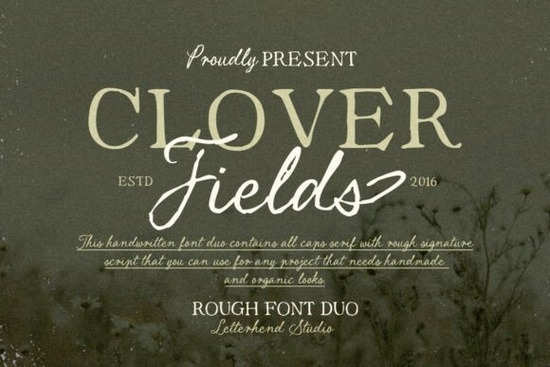
If you've been searching for a font that feels like it was written on a quiet morning in the countryside, the Clover Fields Font might be exactly what you need. It pairs an organic serif with a rough handwritten script, giving your designs a calm, natural warmth. The textured strokes feel hand-drawn without being messy like notes jotted down in an old countryside journal.
What makes Clover Fields Font different from other rustic fonts?
A lot of rustic fonts lean too hard in one direction. They're either too clean to feel handmade, or too rough to stay readable. Clover Fields finds a comfortable middle ground. The serif side gives your text structure and legibility, while the script side adds personality and movement.
The slight imperfections in the strokes are intentional. They mimic the natural unevenness of real handwriting something you'd find in a warm, handwritten script font collection. This makes it a strong pick for designs where you want a human feel without sacrificing clarity.
What types of projects work best with this font duo?
Clover Fields is versatile enough for both personal and commercial projects. Here are some ways designers and small business owners are using it:
- Wedding invitations and save-the-dates The soft, romantic script pairs beautifully with floral layouts. If you're building a wedding stationery set, it works well alongside fonts like Wedding Beauty.
- Print-on-demand products Think mugs, tote bags, and wall art with short quotes or phrases. The textured detail holds up nicely on printed merchandise.
- Greeting cards and postcards Whether it's a thank-you card or a birthday message, the handwritten charm adds a personal touch.
- Brand logos and packaging For small businesses with a natural, artisan, or farm-to-table brand identity, this font duo sets the right tone.
- Blog graphics and social media posts Pair the serif with clean sans-serifs for Pinterest pins or Instagram quotes that feel warm and approachable.
- Recipe cards and journal pages The countryside journal aesthetic fits perfectly with food blogs, recipe printables, and stylish handwriting font projects.
How should I pair Clover Fields with other fonts?
Because Clover Fields already includes two styles a serif and a script you have built-in contrast. Use the serif for body text or subtitles, and the script for headings, names, or accent words.
For a third pairing option, try a simple sans-serif like Montserrat or Lato. This keeps the focus on Clover Fields while giving your layout breathing room. If you're working on a nature-themed design, fonts like Gardenia or the Highway Heritage font share a similar handcrafted quality and can complement the overall look.
Is Clover Fields good for commercial use?
Yes. When purchased through Creative Fabrica, the license covers both personal and commercial projects. This includes print-on-demand platforms, client work, and physical product designs. Always double-check the specific license terms on the product page before publishing, especially if you're selling on platforms like Etsy or Redbubble.
Does the textured style work at small sizes?
The serif side of Clover Fields holds up well at smaller sizes it's designed with enough contrast to stay readable in body text. The script side, with its rougher texture, is best used at larger display sizes. For instance:
- 16px and above The script reads clearly on screen and in print.
- Below 16px Switch to the serif style for better legibility.
- Large headlines (48px+) Both styles look great. The script's texture really shows at bigger sizes.
If you're designing for mobile screens or small product tags, stick with the serif and save the script for accent moments.
What file formats does it come with?
Clover Fields typically includes OTF, TTF, and WOFF formats, so you can use it in design software like Adobe Illustrator, Photoshop, Canva, Procreate, and most web platforms. Installation is straightforward on both Mac and Windows.
Quick checklist before you start designing
- Install both the serif and script files on your device.
- Test the font at different sizes to find the sweet spot for your project.
- Use the serif for readable text and the script for emphasis or headings.
- Pair with a clean sans-serif if you need a third style.
- Check the license details on the Clover Fields Font product page before selling your designs.
Tip: Try setting your heading in the script style and your subtitle in the serif at a slightly smaller size. This simple two-layer approach creates a polished, layered look without needing extra fonts.
Learn More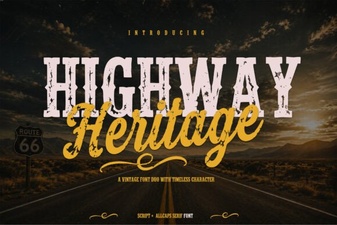 Highway Heritage Font: Timeless Typography for Bold Designs
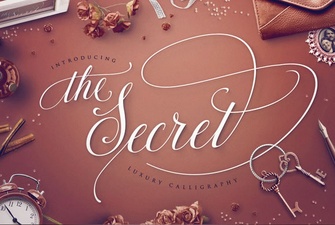 The Secret Font: Unlocking Creative Typography
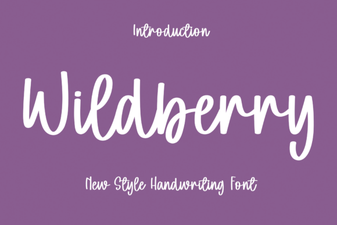 Wildberry Font: a Stylish Display Typeface for Modern Projects
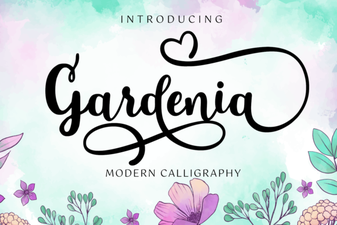 Gardenia Font: Elegant Typography for Creative Design Projects
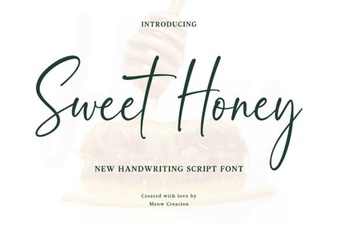 Sweet Honey Font – Free Stylish Script Font Download
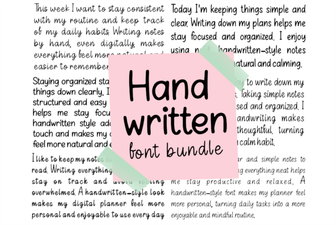 Stylish Handwritten Font Bundle for Creative Projects