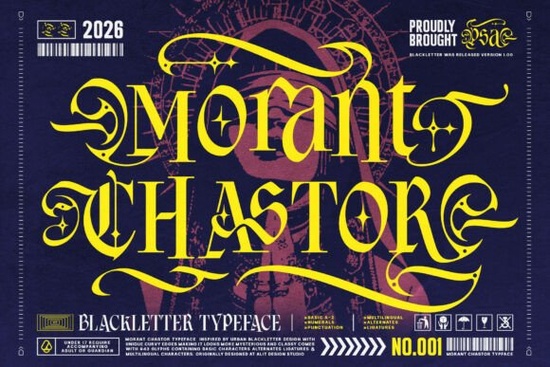
Finding the right typeface for dark, edgy design projects can be surprisingly difficult. Most blackletter fonts lean too far into medieval territory, while modern display fonts lack that raw, heavy presence. The Morant Chastor Font tries to solve that exact problem. It's a contemporary gothic typeface built with dramatic letterforms, psychedelic curves, and sharp calligraphic swashes that feel both historical and street-ready.
I spent some time looking at how this font actually performs in real design scenarios apparel mockups, gaming graphics, brewery labels, and social media content. Here's what stood out.
What kind of projects does the Morant Chastor Font work best for?
This is a blackletter display font, which means it's designed for large, impactful text not body copy. Think headlines, logos, packaging headers, and poster titles. Based on its style, it fits naturally into a few specific niches:
- Alternative apparel lines especially streetwear, techwear, and punk-inspired clothing brands
- Dark fantasy and horror game titles its cathedral-inspired structure pairs well with gothic worldbuilding
- Skate deck graphics the heavy, angular forms translate well to bold illustration work
- Craft brewery and distillery branding particularly for stouts, porters, and limited-release cans
- Social media headers and thumbnails where you need text that grabs attention immediately
The custom diamond-star punctuation points embedded into the counters give it a detail you won't find in most other blackletter typefaces available. It's a small touch, but it adds personality that works especially well in logo design.
How does it compare to other gothic and blackletter fonts?
Traditional blackletter fonts like Fraktur or Old English tend to look stiff and overly ornamental. They're beautiful, but they can feel out of place on modern packaging or digital content. Morant Chastor bridges that gap by keeping the structural weight of cathedral script while adding sweeping, psychedelic curves that give it movement.
Compared to simpler blackletter options, this font leans much more into decorative territory. It's not trying to be neutral it's bold and intentional. If you need something subtle for a luxury brand, this probably isn't it. But if your project calls for attitude, edge, and visual weight, it delivers.
For designers who work across multiple projects, having a few distinct blackletter styles in your library is useful. You might pair something like this with cleaner sans-serifs for contrast, or use it alongside textured grunge elements for a layered aesthetic.
Does it work well for print-on-demand products?
Yes with some caveats. Heavy display fonts like this tend to look great on:
- T-shirt front prints (especially single-color or two-color designs)
- Hoodies and crewnecks with bold typographic layouts
- Sticker sheets and die-cut decals
- Poster prints and wall art
- Mugs and tumblers with wrap-around text
Where it gets tricky is smaller applications. If you're trying to use this font on a business card or a product tag with fine detail, the heavy letterforms and decorative swashes may lose clarity. Always test at the actual print size before committing to a design.
What should you pair it with?
Because Morant Chastor is so visually heavy, it works best alongside fonts that offer breathing room. A few pairing ideas:
- Clean sans-serifs like Montserrat or Bebas Neue for subheadings and body text
- Monospaced fonts for a techwear or industrial contrast
- Handwritten scripts for brewery labels or music merch with a raw, DIY feel
The key is contrast. Don't stack another decorative font on top of it let Morant Chastor be the star of the layout.
Where can you get it?
You can grab this font from Creative Fabrica, which offers both individual font purchases and subscription plans. If you're a designer who regularly needs new typefaces, graphics, and craft files, a subscription usually makes more sense economically. You can find the full details and licensing information here.
Quick checklist before using it in your next project
- Check the license make sure it covers your intended use (commercial products, POD platforms, client work)
- Test at print size zoom to 100% and check legibility on your specific product
- Choose a strong pairing font keep secondary text simple and clean
- Experiment with color this typeface looks striking in metallics, monochrome, and muted earth tones
- Use it for headlines only don't force it into body text or small UI elements
Tip: Try setting your headline text, then adding subtle texture overlays grain, halftone, or distressed effects to give your design an even grittier, handcrafted feel that complements the font's personality.
Get Started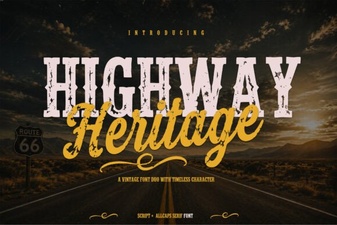 Highway Heritage Font: Timeless Typography for Bold Designs
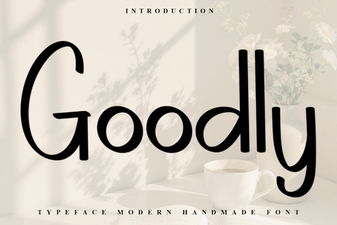 Goodly Font Free Download - Clean Sans Serif Typeface
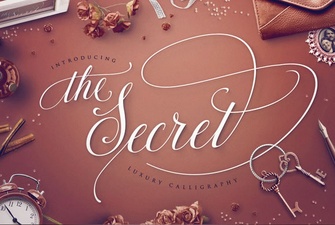 The Secret Font: Unlocking Creative Typography
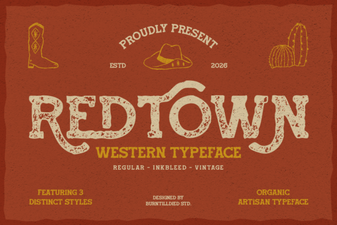 Redtown Font: Bold Creative Typography for Modern Designs
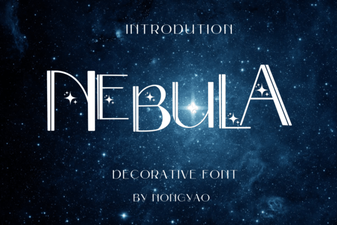 Nebula Font: a Cosmic Design Inspiration
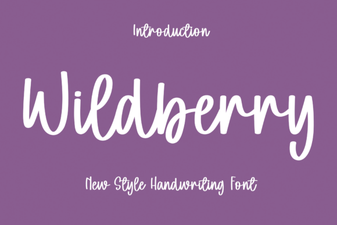 Wildberry Font: a Stylish Display Typeface for Modern Projects